PRTG inline registration — ad-hoc credentials per deployment
Variant 2 is the lightweight sibling of Variant 3 (PrtgConnection): RSGO registers itself as a PRTG device on Running and cleans up on remove, but URL + token live on the deployment rather than in a central connection.
How to use it in the UI
Section titled “How to use it in the UI”On the Deployment Detail page (/deployments/<id>) the “PRTG monitoring” card has two tabs:
- Saved connection — picks from Variant 3 connections (docs)
- Inline (ad-hoc) — this variant
The inline tab on the deployment detail page — fields identical to the saved-connection variant, only persisted per deployment instead of centrally:
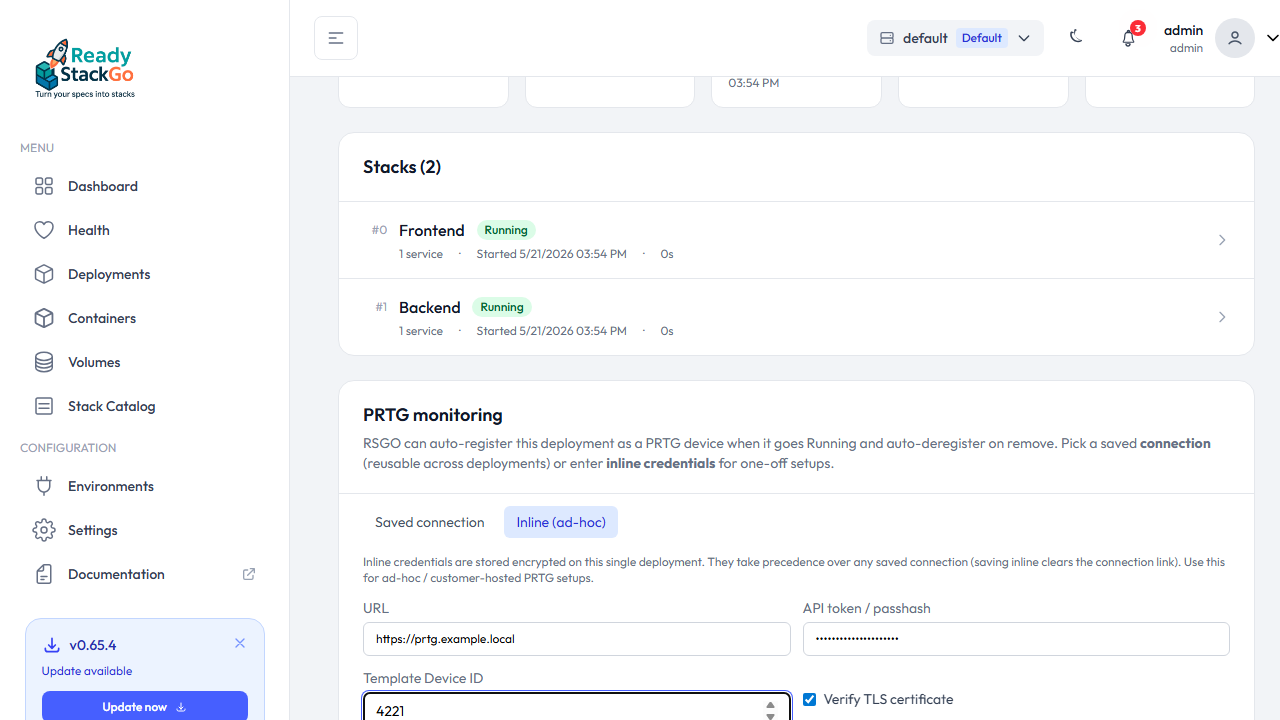
In the inline tab you fill in:
| Field | Value |
|---|---|
| URL | https://prtg.example.local |
| API token / passhash | PRTG passhash or API token |
| Template Device ID | PRTG device id RSGO clones (empty = auto-register off) |
| Verify TLS certificate | Uncheck for self-signed certs |
Save inline stores the credentials encrypted on the ProductDeployment. Any saved-connection link is cleared at the same time — only one PRTG target can be active.
# Set inline registrationcurl -X PUT https://rsgo.local/api/deployments/<deployment-id>/prtg-inline \  -H "X-Api-Key: rsgo_..." \  -H "Content-Type: application/json" \  -d '{    "id": "<deployment-id>",    "url": "https://prtg.example.local",    "apiToken": "PRTG_TOKEN_123",    "templateDeviceId": 4221,    "verifyTls": false  }'
# Clear (url: null)curl -X PUT https://rsgo.local/api/deployments/<deployment-id>/prtg-inline \  -H "X-Api-Key: rsgo_..." \  -H "Content-Type: application/json" \  -d '{"id":"<deployment-id>","url":null,"verifyTls":true}'
What exactly happens
Section titled “What exactly happens”Same flow as Variant 3 — only the credential source differs:
| Event | RSGO calls | Source |
|---|---|---|
Running | duplicateobject.htm + pause.htm?action=1 | Inline URL + decrypted token + inline template id |
Removed / Superseded | deleteobject.htm | Same inline data |
The resolver (PrtgRegisterDeviceOnCompletedHandler.ResolvePrtgTarget) prefers a saved connection when both are set — in practice that never happens because “Save inline” clears the connection and vice versa.
Security
Section titled “Security”- Token encrypted at rest with the same
ICredentialEncryptionServiceas every other credential in RSGO. - Token never in read DTOs —
HasInlinePrtgApiToken: boolis the only indicator that one is set. - TLS verify per deployment (handy for customer-PRTG with self-signed certs).
- Best-effort: a PRTG outage doesn’t break the RSGO deploy, it logs a warning.
Switching between V2 and V3
Section titled “Switching between V2 and V3”You can flip back and forth any time:
- V2 → V3: create a connection in Settings → detail page → tab “Saved connection” → pick from dropdown → Save. Clears the inline data.
- V3 → V2: detail page → tab “Inline” → fill in URL/token/template → Save inline. Clears the connection link.
Switching does not delete the existing PRTG device — that happens on the next Removed/Superseded event. Delete it manually in PRTG if you want it gone immediately.
Related
Section titled “Related”- Variant 3 — saved PrtgConnection — the “proper” path for multiple deployments
- Variant 4 — HTTP Data Advanced sensor — passive: PRTG polls RSGO
- Variant 1 — Device Template Bundle — deep per-stack integration