PRTG auto-register — reusable PrtgConnection
A PrtgConnection lets RSGO call PRTG’s API when a ProductDeployment goes live and when it is removed. Unlike Variant 4 (HTTP Data Advanced sensor) and Variant 1 (Device Template Bundle), which are configured on the PRTG side, this variant is bidirectional: RSGO knows about PRTG and drives the integration.
How it works
Section titled “How it works”- You create a PrtgConnection once in
/settings/prtg-connections: URL + PRTG API token + optionally a template device id that RSGO clones per deployment. - You link a ProductDeployment to the connection (via API or, soon, on the detail page).
- When the deployment turns Running, RSGO calls the PRTG API:
duplicateobject.htm→ clones the template device, names itRSGO: <product> (<version>), sets the hostpause.htm?action=1→ unpauses the new device so PRTG starts polling- The new PRTG device id is stored on the ProductDeployment.
- On
RemovedorSuperseded, RSGO deletes the device viadeleteobject.htm.
All calls are best-effort: a PRTG outage does not break the RSGO deploy — the sync operation logs a warning.
Creating a connection in RSGO
Section titled “Creating a connection in RSGO”Step 1: prepare a template device in PRTG
Section titled “Step 1: prepare a template device in PRTG”Create a device in PRTG once with all the sensors you want RSGO products to have. Set the sensors to paused so the template itself doesn’t poll. Note the device’s Object ID (visible in the URL: device.htm?id=4221 → id = 4221).
Optional: start from the Variant 1 device-template bundle — it ships a ready-made sensor set.
Step 2: create a PRTG API token
Section titled “Step 2: create a PRTG API token”In PRTG: Setup → System Administration → User Accounts → your user → reveal passhash (or, from PRTG 23.x onwards, a real API token).
Step 3: store the connection in RSGO
Section titled “Step 3: store the connection in RSGO”Settings has a dedicated PRTG Connections tile as the entry point:
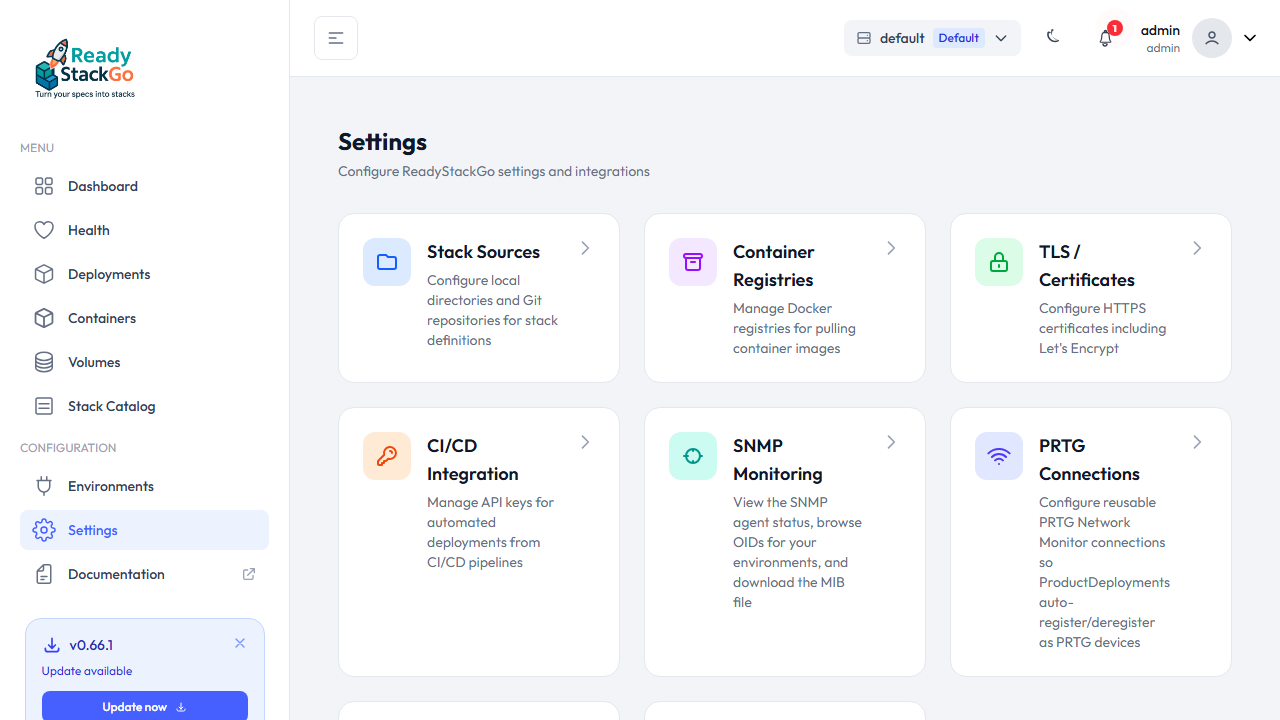
The list is empty on first visit. + Add connection opens the form:
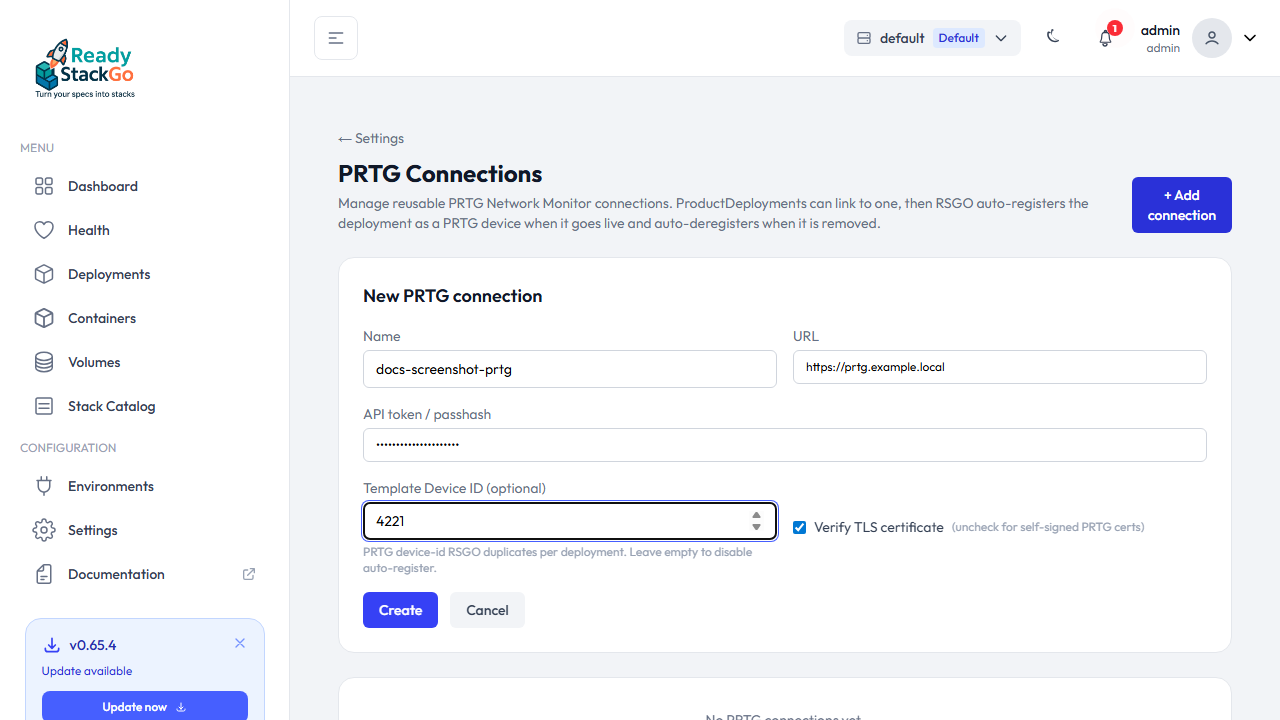
| Field | Value |
|---|---|
| Name | prod-prtg (free-form, appears in the deploy wizard) |
| URL | https://prtg.example.local |
| API token / passhash | From step 2 |
| Template Device ID | 4221 from step 1 — leave empty to disable auto-register |
| Verify TLS certificate | Uncheck if PRTG uses a self-signed cert (very common) |
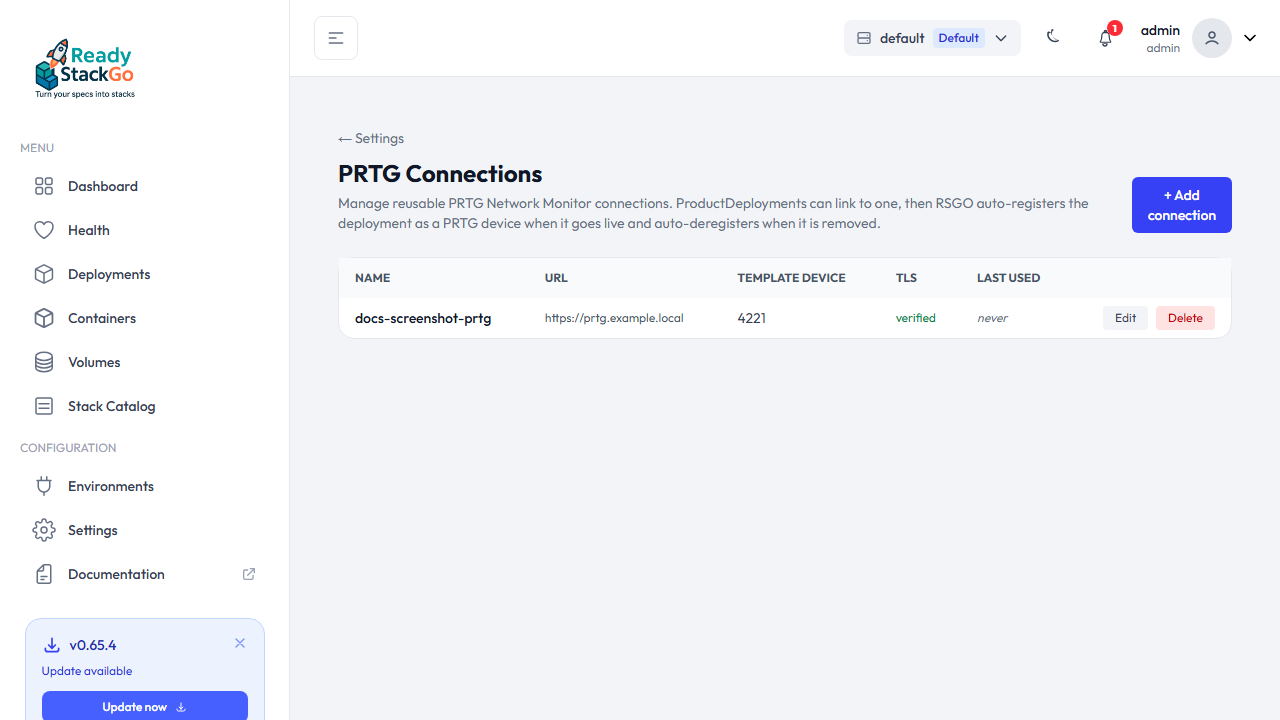
Click Create. The token is encrypted in the RSGO database — you will never see it in the UI again. Then the list shows the new entry:
Linking a ProductDeployment to a connection
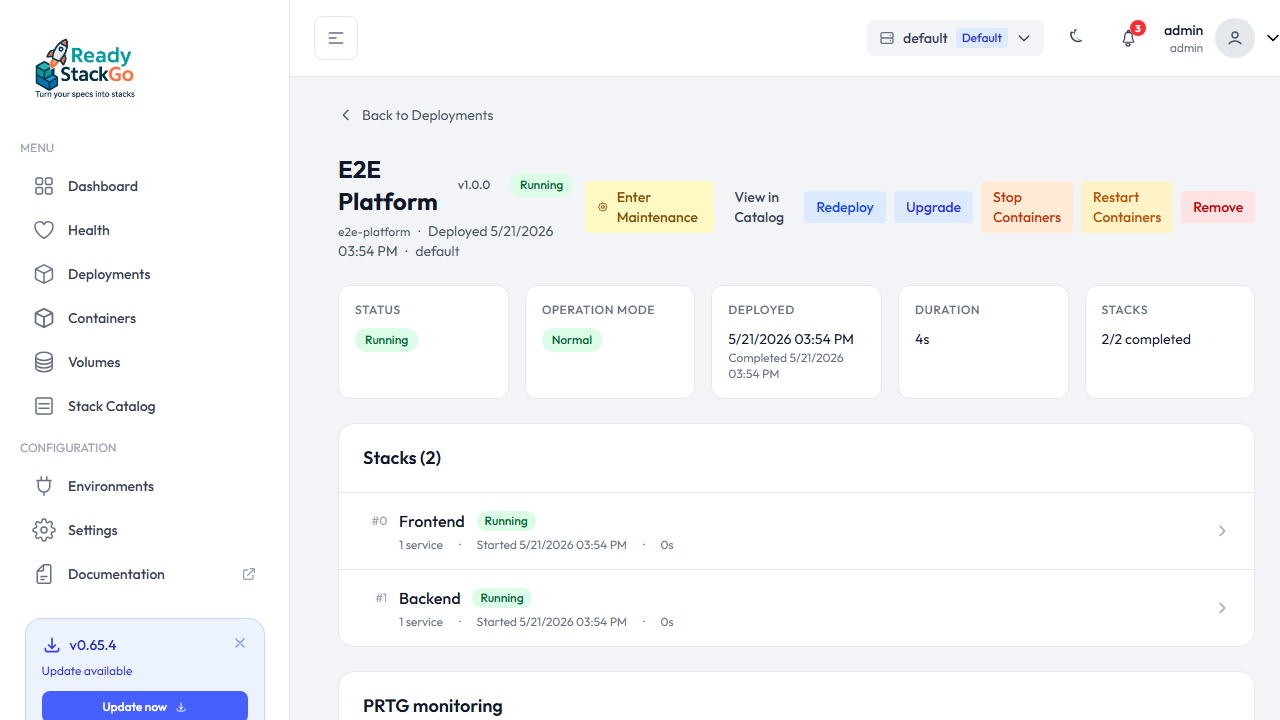
Section titled “Linking a ProductDeployment to a connection”On the deployment detail page there is a PRTG monitoring card with two tabs:
- Saved connection — dropdown of connections (this variant)
- Inline (ad-hoc) — enter URL+token directly (see V2)
Or via REST:
curl -X PUT https://rsgo.local/api/deployments/<deployment-id>/prtg-connection \ -H "X-Api-Key: rsgo_..." \ -H "Content-Type: application/json" \ -d '{"id":"<deployment-id>","prtgConnectionId":"<connection-id>"}'prtgConnectionId: null clears the link.
On the next lifecycle event (Running → register, Removed/Superseded → deregister) RSGO runs the PRTG calls automatically.
Security
Section titled “Security”- API token encrypted with the same
ICredentialEncryptionServiceused for Docker registry credentials and SNMPv3 passphrases. - Token leak impact: read+write access to PRTG. Treat the connection like a registry credential.
- TLS:
Verify TLSis on by default. Uncheck explicitly for self-signed certs — RSGO logs the choice per connection. - PRTG permissions: the PRTG user only needs read+write on the group RSGO writes to. No PRTG admin required.
Which PRTG endpoints does RSGO call?
Section titled “Which PRTG endpoints does RSGO call?”| Trigger | RSGO calls | Purpose |
|---|---|---|
ProductDeployment → Running | POST /api/duplicateobject.htm?id=<template>&name=<n>&host=<h> | Clone device from template |
| (right after) | GET /api/pause.htm?id=<new-id>&action=1 | Unpause; polling starts |
ProductDeployment → Removed / Superseded | POST /api/deleteobject.htm?id=<device-id>&approve=1 | Delete the device |
| (connection liveness probe) | GET /api/getstatus.json | Liveness + token validation |
Full PRTG API reference: https://www.paessler.com/manuals/prtg/application_programming_interface_api_definition
Compared to the other variants
Section titled “Compared to the other variants”| Variant 4 (HTTP Sensor) | Variant 1 (Bundle) | Variant 3 (Connection) | |
|---|---|---|---|
| Setup time | 5 min in PRTG | 10–15 min in PRTG (admin) | 5 min in PRTG + RSGO connection |
| Auto-register new deployments | — | ✓ (auto-discovery, every 60 min) | ✓ instantly on deploy |
| Auto-deregister on remove | — | — | ✓ |
| RSGO calls PRTG’s API | — | — | ✓ |
| Sensor granularity | aggregated channels | per-stack / per-service | from the template device |
Variant 3 is the right pick when auto-cleanup matters or when a CI/CD flow stands up and tears down many deployments.
Related pages
Section titled “Related pages”- Set up SNMP in ReadyStackGo — prerequisite
- Variant 1 — Device Template Bundle — manual setup, deep granularity
- Variant 4 — HTTP Data Advanced sensor — fastest, manual setup