Product Updates & Release Notes
ReadyStackGo shows when a newer version of an installed product is available in the catalog and makes its release notes accessible on a dedicated, shareable page — giving the “upgrade or not” decision useful context. Release notes can be localized (e.g. German and English) with an in-page language selector.
Overview
Section titled “Overview”| Element | Description |
|---|---|
| Update badge | On the product deployment detail page when a newer version exists |
| Catalog entry point | A Release notes button on the Stack Catalog product page |
| Dedicated page | A full page at /release-notes/:productId — bookmarkable, with the selected language in the URL |
| Release notes | Own CHANGELOG.md (rendered markdown, incl. GFM tables) or an external releaseNotesUrl (as a link) |
| Localization | Per-language CHANGELOG.<locale>.md with an in-page language selector |
| Notification | A one-time notification after a source sync when an update appears |
Declaring release notes in the manifest
Section titled “Declaring release notes in the manifest”Release notes are sourced per product version from two places — an own CHANGELOG.md
(preferred) and an external URL as a fallback.
Option A: CHANGELOG.md next to the manifest (recommended)
Section titled “Option A: CHANGELOG.md next to the manifest (recommended)”Place a CHANGELOG.md in the same directory as the product manifest file. It is read
automatically during sync and rendered as formatted markdown in the UI.
my-product/├── rsgo.yaml # product manifest (productVersion: "1.1.0")├── CHANGELOG.md # neutral fallback, picked up automatically├── CHANGELOG.de.md # optional: German release notes└── CHANGELOG.en.md # optional: English release notesWhen one or more CHANGELOG.<locale>.md files exist, the viewer shows a language selector
and defaults to the reader’s browser language; the neutral CHANGELOG.md is used as a fallback
when the requested language is missing.
Option B: releaseNotesUrl in the manifest
Section titled “Option B: releaseNotesUrl in the manifest”Alternatively (or in addition), provide a URL in the manifest metadata block, e.g. to a GitHub release:
metadata: name: "My Product" productId: "com.example.myproduct" productVersion: "1.1.0" releaseNotesUrl: "https://github.com/example/my-product/releases/tag/v1.1.0"For the full manifest schema see Manifest format.
Step by step: discover an update & read the release notes
Section titled “Step by step: discover an update & read the release notes”Step 1: Open the release notes from the Stack Catalog
Section titled “Step 1: Open the release notes from the Stack Catalog”Every catalog product version whose changelog is available shows a Release notes button on its Stack Catalog page — you can read the notes before deploying or upgrading, without an existing deployment.
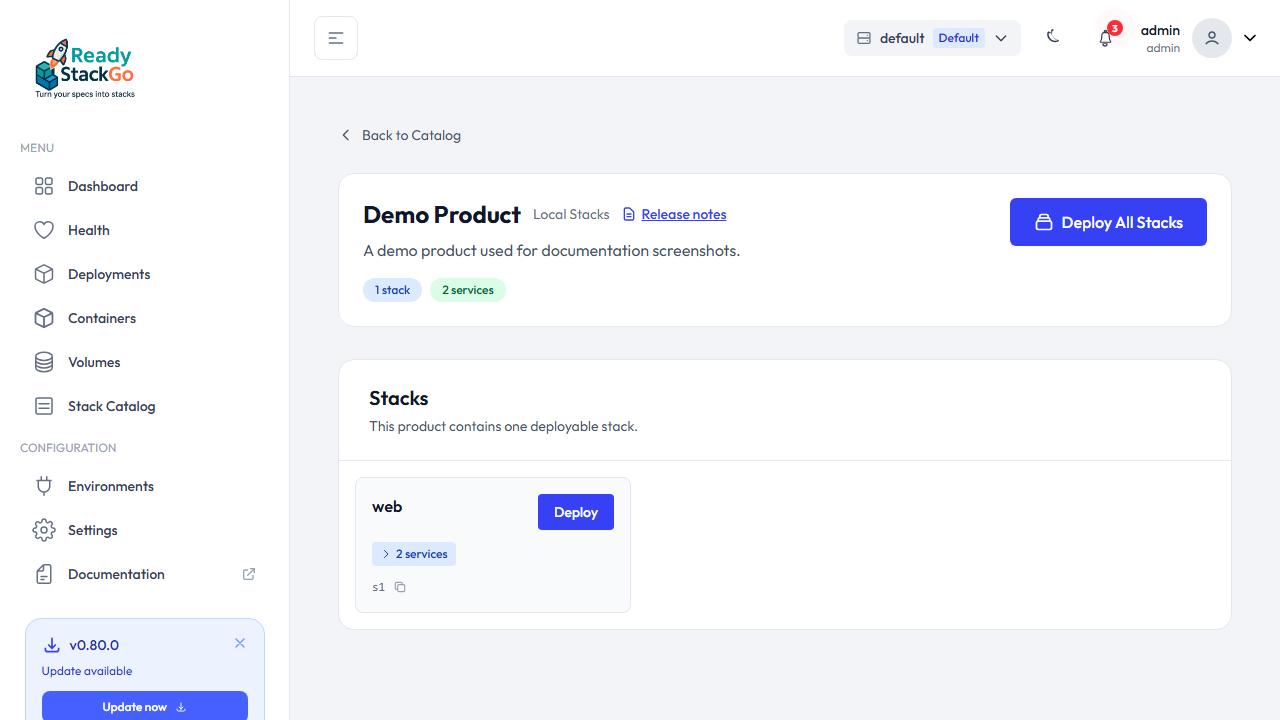
Step 2: Read the notes on the dedicated page
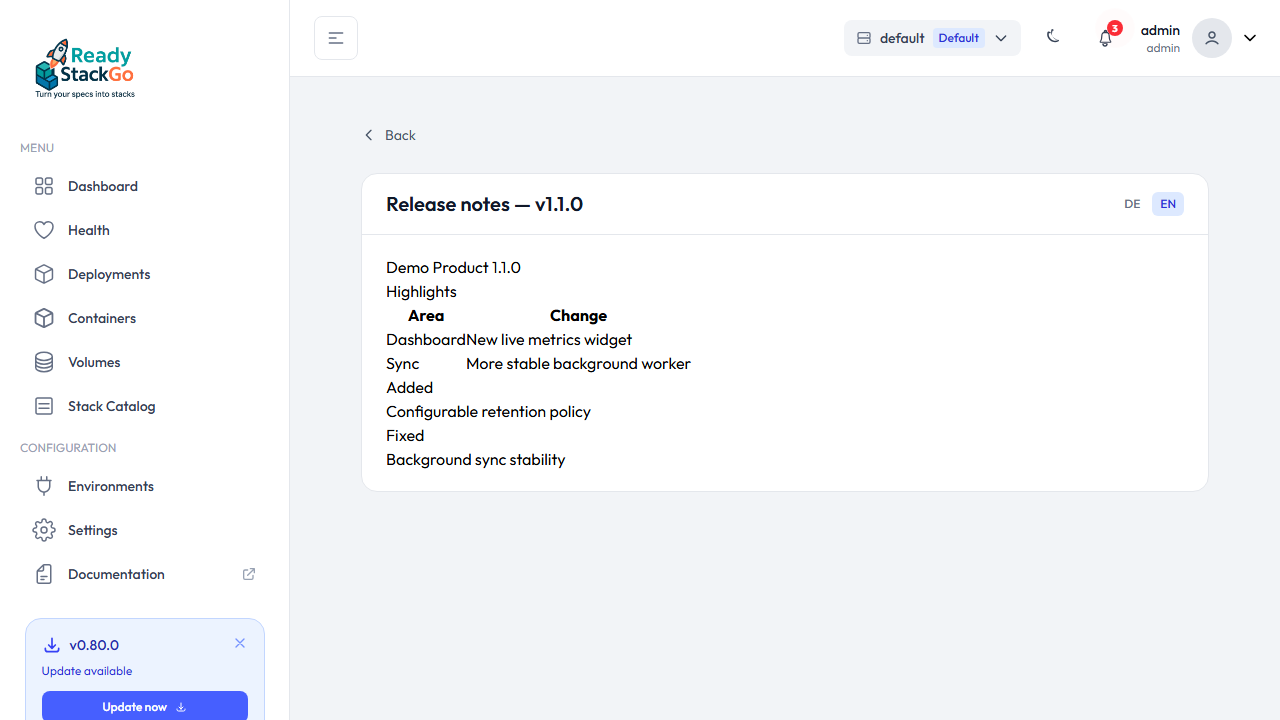
Section titled “Step 2: Read the notes on the dedicated page”The button opens the dedicated release notes page. An own CHANGELOG.md is rendered as
formatted markdown — including GFM tables, lists and headings.
Step 3: Switch the language (when localized)
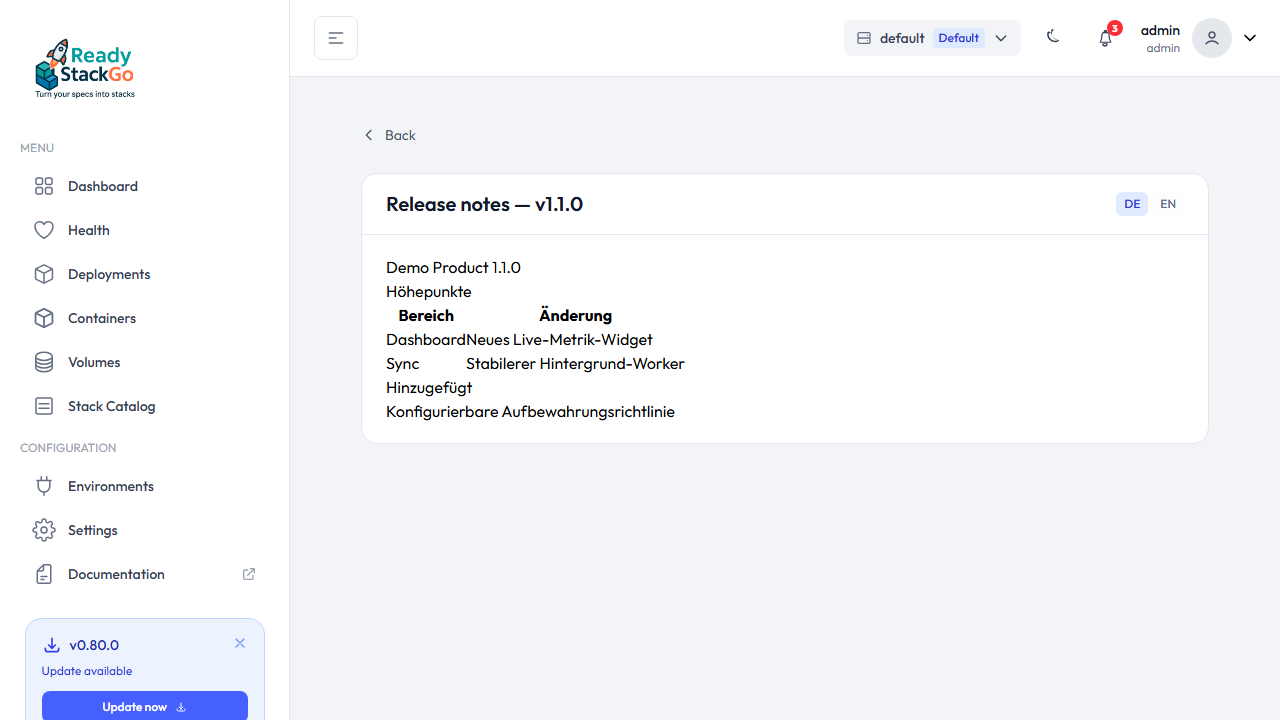
Section titled “Step 3: Switch the language (when localized)”If the product ships more than one CHANGELOG.<locale>.md, a language selector appears in
the header. The selected language is stored in the URL (?locale=), so the page stays
shareable and bookmarkable.
Step 4: The update badge as a second entry point
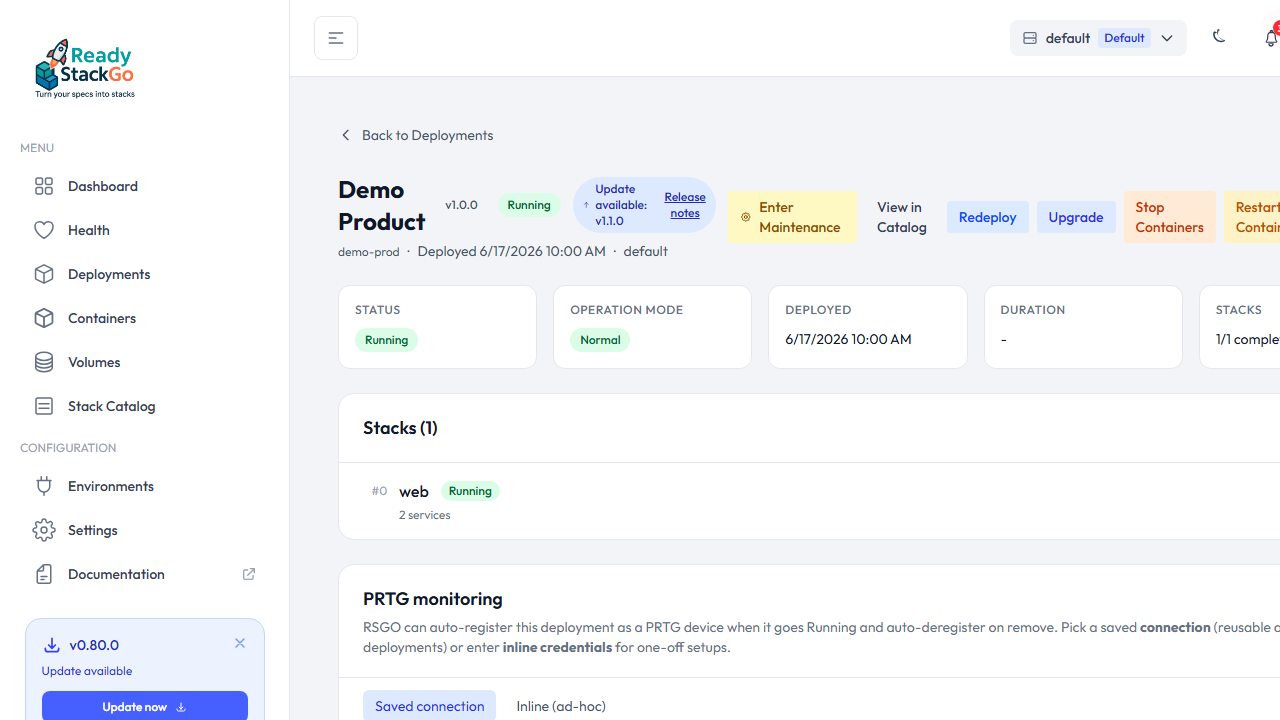
Section titled “Step 4: The update badge as a second entry point”When a newer version of an installed product exists in the catalog (determined by SemVer during source sync), the product deployment detail page shows an “Update available” badge with the target version. If that version has release notes, a Release notes action opens the same dedicated page.
How update detection works
Section titled “How update detection works”- A source sync loads product versions from the configured sources (local, Git, OCI registry). Multiple versions of the same product can coexist.
- For each active product deployment, RSGO compares the installed version with the latest available one (strictly SemVer-newer, no downgrade).
- If a newer version exists, the badge appears and — once — a notification is raised.
- The target version’s release notes are loaded on demand from the dedicated page.
Security
Section titled “Security”- An own
CHANGELOG.md(orCHANGELOG.<locale>.md) from the configured sources is loaded server-side and rendered as sanitized markdown. - External
releaseNotesUrlvalues are never fetched server-side, only shown as a link (SSRF protection).